
Guide 09 of 12
How to Extract Website Links and Emails
Extract every link from a web page with anchor text, absolute URLs and internal/external type, and learn the rules for handling publicly listed business email addresses.
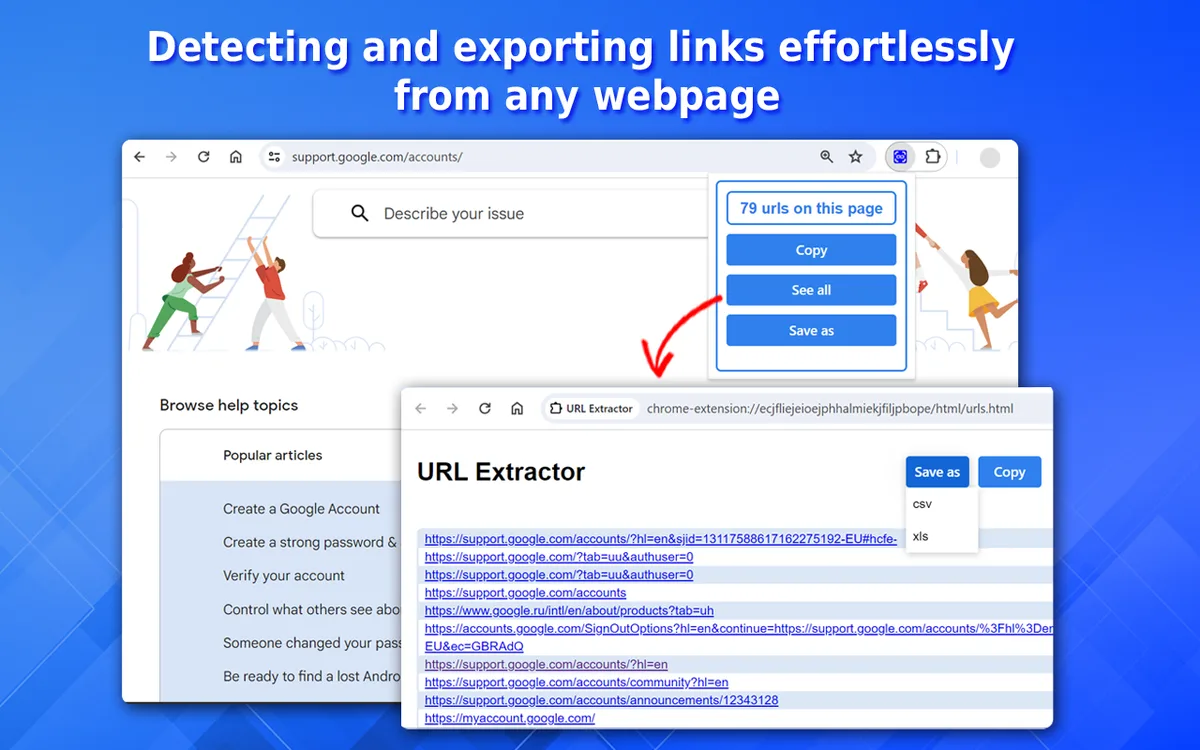
Links are the skeleton of the web. A list of every link on a page answers practical questions: which pages does this hub link to, which outbound sources does an article cite, which documents are listed in a resource library? Instant Data Scraper extracts links as a dedicated dataset with anchor text, absolute URL, internal/external type and the rel attribute.
Emails are a different matter. Email addresses are often personal data, and collecting them in bulk for marketing is restricted by law in many countries. This guide covers link extraction in depth, then explains how to handle publicly listed business contact addresses responsibly — and what not to do.
Extracting links with the Links dataset
Turn it on
In the tool, open Extraction options and tick Extract links. After extraction a tab called Links appears next to the main datasets.
What each column means
- Link text — the visible anchor text, or the link's title/aria-label when it is an icon.
- URL — converted to an absolute address, respecting the page's
<base>tag. - Type — Internal for the same domain and its subdomains, otherwise External.
- Rel — attributes such as
nofollow,sponsoredorugc.
What is excluded
- Duplicate URLs (each link is listed once).
javascript:links and in-page#anchors.mailto:andtel:links, which are not web pages.
Links inside other datasets
You don't always need the separate Links tab. In Automatic and Table modes, links inside each card or table cell become their own columns, such as Product title link or City link. That keeps each URL next to the record it belongs to — ideal for product lists or directories.
Extracting only certain links
Use CSS selector mode to target a section of the page:
Row selector:  article a
Fields:
Text: .
URL: .@href.means "the matched element itself".- Change
article ato.resources a,footer aora[href$=".pdf"]to get only PDF links.
Using link data for SEO and research
Internal linking audits
Extract a key page's links, filter Type = Internal and check that important pages are linked with descriptive anchor text.
Outbound link review
Filter Type = External to see which sites an article cites and whether sponsored links are marked correctly.
Broken-link checks
Export the URL column and run it through a link-checking tool.
Content inventories
Extract a blog index or sitemap-style page to list every article URL with its title.
What about email addresses?
Email addresses are usually personal data
An address like firstname.lastname@company.com identifies a person. Under laws such as the GDPR (EU/UK) and similar laws elsewhere, collecting and using it requires a lawful basis, transparency and data minimisation — even if it is published on a website.
Anti-spam laws
Sending marketing emails to scraped addresses is restricted or prohibited by laws including the EU ePrivacy rules, the UK PECR, the US CAN-SPAM Act and Canada's CASL. Harvesting addresses to build mailing lists is also against the terms of nearly every email provider and website.
Instant Data Scraper's approach
- The tool does not offer an email-harvesting mode.
mailto:links are excluded from the Links dataset.- Our Terms of Service prohibit using the tool to build contact lists or profiles of individuals.
Legitimate situations involving business contacts
There are narrow, legitimate cases — for example, compiling the generic published contact address (like info@ or support@) of a handful of organisations you need to reach for a specific, lawful purpose. In those cases:
- Copy the address manually from the organisation's official contact page.
- Collect only role-based business addresses, never personal ones.
- Record where and when you found it.
- Contact the organisation individually, not in bulk marketing campaigns.
Better ways to reach businesses
- Use official contact forms on their websites.
- Use professional networking platforms within their rules.
- Use licensed B2B data providers that obtain consent and comply with privacy laws.
- Build an opt-in mailing list through your own website.
Analysing link data in a spreadsheet
Count links per domain
Add a helper column with the domain: =TEXTBEFORE(TEXTAFTER(B2,"//"),"/"), then build a PivotTable counting URLs per domain. You'll instantly see which external sites a page links to most.
Find empty or generic anchor text
Filter the Link text column for blanks or phrases like "click here" and "read more" — good candidates for more descriptive anchors.
Check nofollow and sponsored usage
Filter Rel for sponsored or nofollow to review how outbound links are marked.
Spot parameters and tracking
Search the URL column for ?utm_ or session IDs that create duplicate URLs.
Collecting links from many pages
Enable pagination together with Extract links to collect links from every page of an archive or listing. The Links dataset merges across pages and keeps each URL only once per page. Deduplicate in Excel to get a unique list.
Understanding link types
| Type | Example | Included? |
|---|---|---|
| Absolute | https://example.com/about | Yes |
| Relative | /about or ../about | Yes, converted to absolute |
| Protocol-relative | //cdn.example.com/file.pdf | Yes, converted |
| Anchor | #section-2 | No |
| JavaScript | javascript:void(0) | No |
| Email / phone | mailto:, tel: | No |
The real risks of email harvesting
- Legal penalties — data-protection and anti-spam regulators can issue significant fines.
- Deliverability damage — sending to scraped lists triggers spam complaints and blacklisting of your domain.
- Spam traps — some published addresses exist only to catch harvesters.
- Reputation — recipients who never asked for your email associate your brand with spam.
- Account bans — email providers terminate accounts used for unsolicited bulk mail.
Building a contact list the right way
- Offer something useful on your own website (a guide, a newsletter, a free tool).
- Ask visitors to subscribe with a clear consent checkbox.
- Confirm the subscription by email (double opt-in).
- Include an unsubscribe link in every message.
- Keep records of when and how each person subscribed.
An opt-in list is smaller at first, but it converts far better and keeps you on the right side of the law.
Walkthrough: auditing a resource page
- Paste the URL of a public "resources" page into the tool and tick Extract links.
- Open the Links tab and sort by Type to group internal and external links.
- Export to Excel and add a Domain column with a formula.
- Build a PivotTable counting links per domain to see which sources are cited most.
- Filter for empty or generic anchor text and list links to improve.
- Export the URL column and run it through a link checker to find broken links.
Link and contact checklist
- Links extracted from public pages only.
- Menu and footer links excluded when not needed (use CSS selector mode).
- Duplicates removed before analysis.
- No personal email addresses collected.
- Generic business contacts copied manually from official contact pages, only when needed.
- No bulk marketing to collected addresses.
Glossary
- Anchor text — the clickable text of a link.
- Absolute URL — a full address including https:// and the domain.
- nofollow / sponsored / ugc — rel values that tell search engines how to treat a link.
- Personal data — any information relating to an identifiable person, including many email addresses.
Why link data is so useful
Links reveal how information is organised. On your own website, the links on a page show which content you consider important and how visitors and search engines move between pages. On other websites, links show which sources an article relies on, which partners a company works with and which documents an organisation publishes. Because links are structured — every one has a destination URL and anchor text — they are perfect for spreadsheet analysis.
For SEO work, a link list helps you find orphaned pages that receive no internal links, anchors that say "click here" instead of describing the destination, and outbound links that should be marked as sponsored. For research, it turns a long reference list into a dataset you can sort by domain. For content teams, it produces a quick inventory of everything linked from a hub page.
All of this can be done with public link data and no personal information at all — which is exactly why the Links dataset is a core feature and email harvesting is not.
Who extracts links, and why
SEO specialists audit internal links and outbound links on key pages. Content managers build inventories of articles linked from category hubs before a site migration. Researchers collect the sources cited by public reports. Web developers list every link on a page before launch to check for broken or outdated URLs. None of these tasks requires personal information, which keeps link extraction simple, useful and low-risk.
Common mistakes
- Including navigation links in an audit — focus on the content area with a CSS selector.
- Forgetting duplicates — the same URL can appear with different tracking parameters.
- Assuming public means permitted — publicly visible email addresses can still be protected personal data.
Key takeaways
- Tick Extract links to get a Links dataset with text, URL, type and rel.
- Use CSS selector mode to target specific sections or file types.
- Analyse links by domain, anchor text and rel attributes.
- Treat email addresses as personal data and avoid harvesting them.
- Build contact lists through opt-in, not scraping.
Conclusion
Link extraction is a simple feature with many uses: SEO audits, content inventories, research reference lists and pre-launch checks. Instant Data Scraper gives you a clean Links dataset with anchor text, absolute URLs, internal or external type and rel attributes, and CSS selector mode lets you target specific sections or file types. Email addresses are different: they are usually personal data and protected by privacy and anti-spam laws, so the tool deliberately does not harvest them. Focus on links and business-level information, build contact lists through opt-in, and your data work stays both useful and lawful.
Step-by-step instructions
Paste the page URL
Use the tool with any public page.
Tick Extract links
In Extraction options.
Run the extraction
Wait for the preview to appear.
Open the Links tab
Sort or filter by Type to separate internal and external links.
Target specific links (optional)
Use CSS selector mode with a row selector such as
.resources a.Export
Download CSV or Excel.
Example
| Link text | URL | Type | Rel |
|---|---|---|---|
| Pricing | https://example.com/pricing/ | Internal | |
| Annual report (PDF) | https://example.com/files/report-2026.pdf | Internal | |
| Partner | https://partner.example.org/ | External | nofollow |
Best practices
- Use the Links dataset for audits and in-row link columns for record data.
- Target sections with CSS selectors to avoid menu and footer links.
- Treat email addresses as personal data.
- Never send marketing to scraped addresses.
- Prefer official contact forms and opt-in lists.
Open the Instant Data Scraper tool and extract your first dataset in seconds.
Frequently asked questions
No. It lists links on the pages you extract. Pagination is the only link-following feature, and it stays on the same website.
They are excluded on purpose. Instant Data Scraper is not designed for collecting email addresses.
Yes. Use CSS selector mode with the row selector a[href$=".pdf"].
Often restricted. Emails that identify people are personal data, and bulk marketing to scraped addresses is prohibited in many countries. This is not legal advice.
The tool lists links; it does not check them. Export the URL column and run it through a dedicated link checker to find broken links.
Yes. Links that wrap an image are included, using the link's title or aria-label as text when there is no visible text.