
Guide 07 of 12
How to Extract Product Data from Websites
Extract product names, prices, ratings, stock status, images and URLs from public e-commerce listings for research and price comparison — accurately and responsibly.
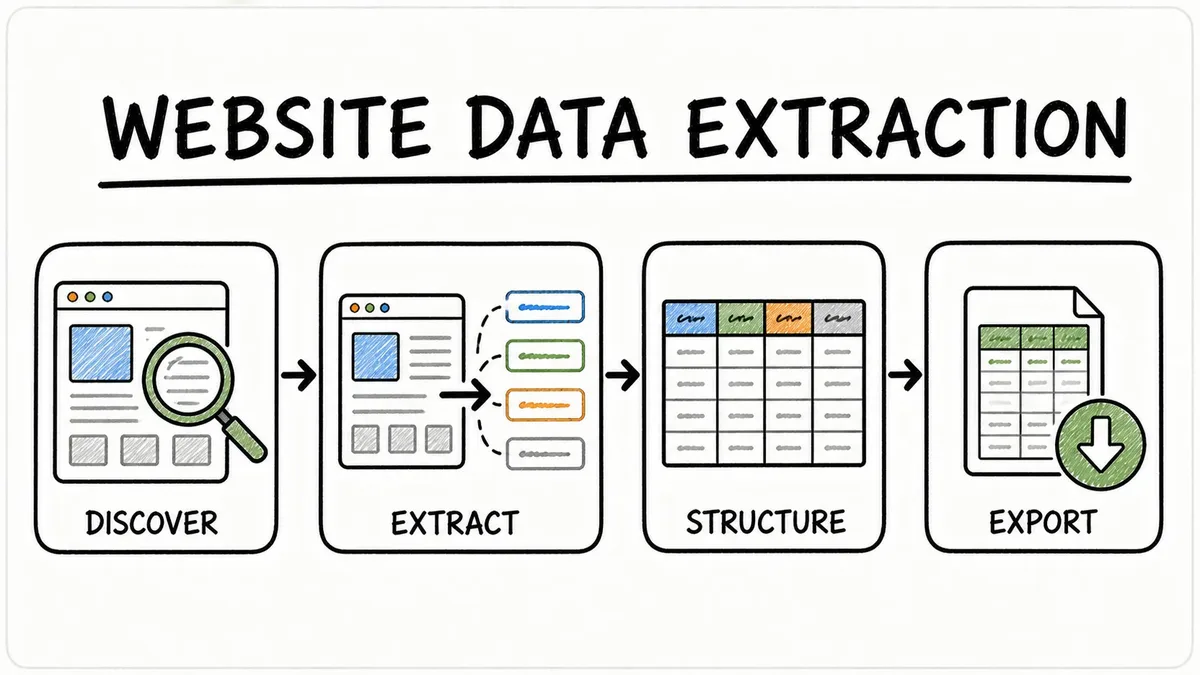
Product data is one of the most common reasons people scrape websites. Retailers compare prices, brands check how their products are listed, researchers study markets and shoppers build comparison sheets. Category and search pages are perfect for this because every product is rendered with the same card template.
In this guide you'll learn which product fields are worth collecting, how to extract them with the Instant Data Scraper tool in Automatic or CSS selector mode, how to collect whole catalogues across many pages, how to clean prices for analysis, and where the ethical and legal lines are.
Which product fields to collect
Core fields
- Product name — the title shown on the card.
- Product URL — the most reliable unique identifier for each product.
- Price — current selling price.
- Original price / discount — when a sale is shown.
Useful extra fields
- Rating and review count — the public aggregate numbers on the listing.
- Availability — in stock, limited, out of stock.
- Brand and category — often present on the card or in the page heading.
- Image URL — for reference only; product photos are usually copyrighted.
- Badges — "Best seller", "New", "Free delivery".
Fields to avoid
- Reviewer names, profile links and personal details.
- Data shown only to logged-in customers (member prices, order history).
- Full product descriptions you intend to republish.
Anatomy of a product card
<article class="product-card">
  <a class="thumb" href="/p/123"><img src="/img/123.jpg" alt="Desk Lamp"></a>
  <h3 class="product-title"><a href="/p/123">Desk Lamp</a></h3>
  <p class="price">$43.99</p>
  <p class="rating">4.1 out of 5</p>
  <span class="stock">In stock</span>
</article>
Automatic mode recognises the repeated article.product-card and creates columns named after the classes: Product title, Product title link, Price, Rating, Stock and Thumb image.
Method 1: Automatic mode
Paste a category or search page URL and start. The first dataset is usually the product grid. If it isn't, check the dataset tabs — you'll often see "Items 1 — article.product-card ×24". Untick columns you don't need (duplicate alt text, thumbnail links) before exporting.
Method 2: CSS selector mode for precise columns
When Automatic mode produces too many columns or mixes in banners, define exactly what you want:
Row selector:  article.product-card
Fields:
Name: .product-title
URL: .product-title a@href
Price: .price
Was price: .price-old
Rating: .rating
Stock: .stock
Image: img@src
Tips for product selectors
- Look for
itempropattributes such as[itemprop="price"]— they are stable and meaningful. - Use
@contentwhen the exact price is stored in an attribute, e.g.[itemprop="price"]@content. - Use
@data-…attributes for SKUs or IDs, e.g.@data-product-id. - Avoid generated classes like
.sc-12ab3; they change frequently.
Collecting a whole catalogue
Use pagination
Enable Support pagination, set the maximum pages and let the tool follow the Next link. Rows are merged into one dataset. Read How to Scrape Multiple Pages Automatically.
Use larger page sizes
Many shops offer "Show 96 per page" or "View all". Using those URLs means fewer requests and faster results.
Scrape by category
Instead of one huge crawl, extract each category separately. Files stay manageable and you keep the category context.
Cleaning product data for analysis
Prices to numbers
=VALUE(SUBSTITUTE(SUBSTITUTE(SUBSTITUTE(C2,"$",""),"£",""),",",""))Ratings to numbers
=VALUE(LEFT(D2,FIND(" ",D2)-1))Discount percentage
=1-(Price/WasPrice)Remove duplicates
Featured products may appear on every page. Deduplicate on the product URL column.
Price comparison and monitoring
Comparing publicly displayed prices is a common business practice. Do it gently:
- Extract listing pages, not hundreds of individual product pages.
- Run checks at sensible intervals (daily or weekly, not every minute).
- Store the extraction date with each export so you can track changes.
- Remember prices may vary by location, currency or logged-in status.
Legal and ethical considerations
- Respect the shop's terms of service and robots.txt.
- Product facts like prices are generally not copyrightable, but descriptions and photos often are — don't republish them.
- Never scrape checkout flows, customer accounts or personal data.
- If a site shows a CAPTCHA or blocks the tool, stop and look for an official product feed or affiliate API.
Bonus: product data in structured markup
Many shops include machine-readable product information for search engines using schema.org. You'll see it as itemprop attributes in the HTML:
<div itemscope itemtype="https://schema.org/Product">
  <span itemprop="name">Desk Lamp</span>
  <span itemprop="price" content="43.99">$43.99</span>
  <meta itemprop="priceCurrency" content="USD">
</div>
Selectors such as [itemprop="price"]@content return the clean number 43.99 with no currency symbol, and [itemprop="priceCurrency"]@content returns the currency code. These attributes rarely change during redesigns, so they make your extraction more robust.
Analysis ideas for product data
- Price distribution — histogram of prices to see where most products sit.
- Price per brand — PivotTable with brand as rows and average price as values.
- Discount depth — share of products on sale and average discount percentage.
- Availability — percentage of products out of stock per category.
- Rating vs. price — scatter chart to find good-value products.
- Assortment gaps — compare categories across competitors to find missing product types.
Tracking changes over time
- Extract the same listing pages on a regular schedule (for example every Monday).
- Save each export with the date in the file name.
- Combine the files with Power Query's From Folder and add the date as a column.
- Build a PivotTable with product URL as rows, date as columns and price as values.
- Use conditional formatting to highlight price increases and decreases.
Product data quality pitfalls
- Sponsored products — marketplaces mix ads into results; filter them out by a "Sponsored" label column.
- Variants — one card may represent several sizes or colours with a price range ("$20–$35").
- Currency and tax — prices may include or exclude VAT depending on the region.
- Lazy-loaded images — image URLs may be in
data-src; the tool checks common lazy-loading attributes automatically. - Personalised results — sorting and prices may differ for logged-in users.
Consider official product feeds
Many retailers and brands offer affiliate programmes, product feeds or APIs that provide clean, permitted data — often including fields that aren't visible on listing pages, such as GTINs and stock levels. If you need product data at scale or on a schedule, ask for a feed first.
Walkthrough: comparing two shops
- Choose the same category on two public shops, for example "desk lamps".
- Extract both with Automatic mode and pagination (three pages each).
- Export to Excel, convert prices to numbers and add a Shop column to each file.
- Combine both files into one sheet.
- Insert a PivotTable with Shop as columns and price bands as rows to compare assortments.
- Use conditional formatting to highlight price bands where one shop has no products.
The result shows at a glance where each shop is strongest — useful for buying decisions, positioning and pricing discussions.
Product extraction checklist
- Listing pages chosen instead of individual product pages.
- Product URL included as the unique key.
- Sponsored items identified or removed.
- Prices converted and currency recorded.
- Extraction date stored for tracking.
- No reviewer names or other personal data.
- Terms of service and robots.txt respected.
Why listing pages beat product pages
It is tempting to visit every individual product page to collect as much detail as possible. In practice, listing pages give you the best balance of value and effort. One category page typically shows 24 to 96 products with their name, price, rating and availability — the fields most analyses actually use. Collecting the same information from individual pages means dozens of times more requests, which is slower for you and heavier for the website.
Listing pages are also more consistent. Product pages often vary by product type, with different layouts for bundles, variants and special offers, whereas category grids use one card template. That makes automatic detection more reliable and your columns cleaner. Start with listings, and only add detail pages for a small number of products when a specific field is truly needed and the site's terms allow it.
Finally, keep in mind that what you see on a listing is what an anonymous visitor sees. Personalised discounts, member prices and location-based pricing will not appear, and that is exactly how a responsible public-data tool should behave.
Who extracts product data, and for what
Retailers compare their prices with publicly listed competitor prices to stay competitive and spot gaps in their range. Brands check how their products appear across retailers — names, prices and availability — to catch listing errors. Market researchers estimate price levels and the breadth of assortments in a category. Shoppers build comparison sheets before a big purchase. In each case, a focused extraction of public listing pages, repeated at sensible intervals, provides the evidence needed without heavy crawling.
Common product-scraping mistakes
- Ignoring variants — a "from $20" price is a range, not a single price.
- Mixing currencies — international shops may show different currencies by region.
- Counting sponsored items twice — they can appear on every page.
- Comparing different dates — prices change daily; compare snapshots taken at the same time.
Key takeaways
- Collect name, URL, price, rating and availability from listing pages.
- Use CSS selectors and itemprop attributes for precise, stable fields.
- Use pagination or larger page sizes for full categories.
- Clean prices and deduplicate by product URL.
- Respect terms, avoid personal data and prefer official feeds at scale.
Conclusion
Product data from public listing pages is one of the most practical datasets you can build with an instant data scraper. Focus on a small set of meaningful fields — name, URL, price, rating and availability — collect them from category pages with pagination, and clean prices into numbers before analysing. Use structured-data attributes for stable selectors, record the extraction date for tracking, and stay within the website's terms and robots.txt. When you need data at large scale or on a frequent schedule, ask for an official product feed. Done this way, product extraction gives you fast, trustworthy insight into prices, assortments and markets.
Step-by-step instructions
Open a category or search page
Choose a public listing page with many products.
Paste the URL into the tool
Use the Instant Data Scraper tool.
Run Automatic mode
Check that the first dataset is the product grid.
Refine with CSS selectors if needed
Define Name, URL, Price, Rating and Stock fields.
Enable pagination
Set a sensible maximum number of pages.
Export to Excel
Clean prices and ratings, remove duplicates by URL.
Analyse
Sort, filter, pivot by brand or category, chart prices.
Example
| Name | URL | Price | Rating | Stock |
|---|---|---|---|---|
| Aurora Desk Lamp | https://shop.example.com/p/1 | $43.99 | 4.1 out of 5 | Only 2 left |
| Trail Running Shoes | https://shop.example.com/p/3 | $89.00 | 4.8 out of 5 | In stock |
Best practices
- Use the product URL as the unique key.
- Prefer listing pages over individual product pages.
- Record the extraction date for price tracking.
- Never republish copyrighted descriptions or photos.
- Stop if the site blocks automated access.
Open the Instant Data Scraper tool and extract your first dataset in seconds.
Frequently asked questions
Prices can depend on location, currency cookies, login status or JavaScript. The export shows what the public page returned to our request.
Extract public aggregates such as average rating and review count. Avoid reviewer names and profiles, which are personal data.
Large marketplaces usually restrict automated access in their terms and use bot protection. Check their official APIs or affiliate programmes instead.
Keep it modest — daily or weekly is plenty for most comparisons.
You can extract image URLs for reference. Product photos are usually protected by copyright, so don't download and republish them without permission.
Use JavaScript page mode where it is available, or look for a non-JavaScript category view, larger page size or official product feed.